
Download 1 Bit Audio Player – audio player, mp3, flash, web integration, simple interface, music player, website tool, embeddable audio, minimal design, lightweight
Overview
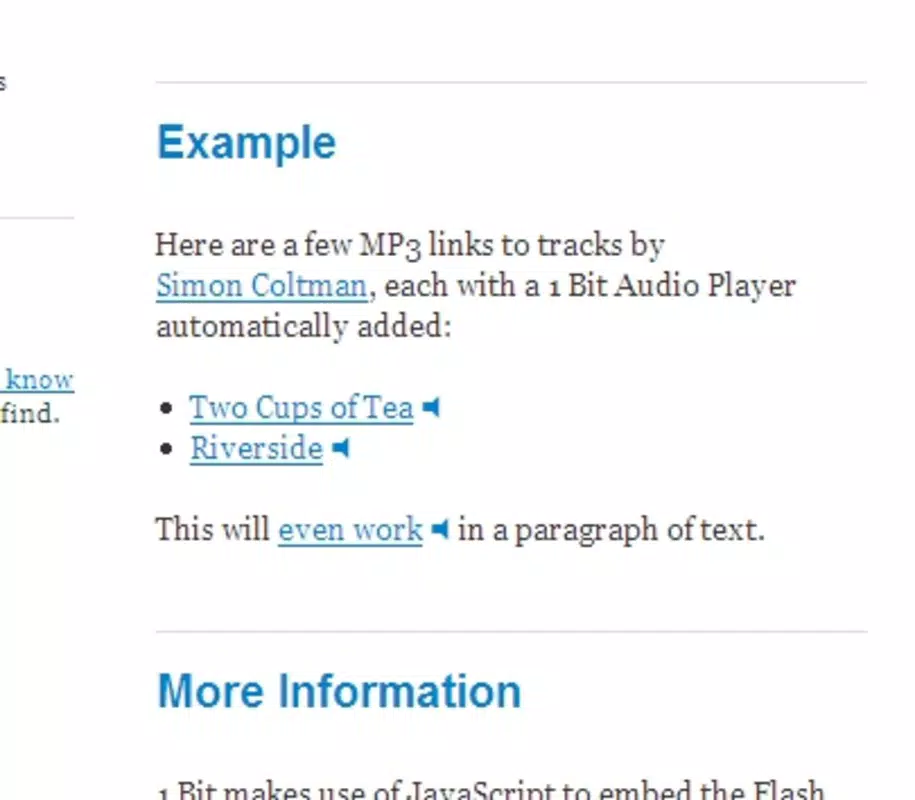
1 Bit Audio Player is a lightweight mobile application designed to serve as a compact multimedia utility for integrating audio content into websites. The app enables users to embed MP3 audio files into web pages with minimal effort, making it a useful tool for content creators, bloggers, and developers seeking a streamlined audio playback solution. Its primary purpose lies in simplifying the process of adding sound to digital content, particularly for those who value efficiency and simplicity in their workflow.
The app targets individuals who manage websites or blogs and want to include audio without extensive coding knowledge. While the developer did not provide additional background information, the app’s functionality suggests a focus on minimalism and ease of use. Real-world use cases include adding background music to personal portfolios, embedding podcast snippets on news pages, or integrating narration into educational content. In the broader app ecosystem, 1 Bit Audio Player fills a niche for developers seeking a no-frills audio embedding tool, particularly for legacy systems or platforms that still support Flash-based media.
Although the app’s release date was recorded as June 3, 2008, its continued availability on Android and iOS indicates ongoing relevance for specific use cases. The app’s enduring presence reflects its utility as a straightforward solution in a market increasingly dominated by complex multimedia platforms.
Key Features & Functionality
- Single-Button Playback: The player features a unified play/pause button, eliminating the need for multiple controls. This design reduces visual clutter and allows users to start or stop audio with a single tap, ideal for minimalist web interfaces.
- Simple JavaScript Integration: To embed audio, users copy a short JavaScript snippet and paste it into their website’s HTML. This method requires no advanced technical skills, making it accessible to non-developers and accelerating content creation.
- MP3 Format Support: The app supports MP3 files, a widely used audio format known for its balance of quality and file size. This compatibility ensures broad usability across various content types, from music to spoken word.
- WordPress Plugin Compatibility: A dedicated plugin allows WordPress users to integrate the player without modifying code. This feature enhances accessibility for bloggers and site owners who rely on content management systems.
- Flash-Based Playback: Audio playback relies on Adobe Flash Player, which was standard at the time of the app’s release. This dependency may affect functionality on modern devices or browsers that no longer support Flash.
For example, a podcast creator could embed a 30-second clip directly into a blog post using the provided code. Similarly, an educator might use the player to add voiceover explanations to a lesson page. The simplicity of integration ensures rapid deployment across multiple platforms.
Interface, UX & Performance
The user interface of 1 Bit Audio Player reflects a minimalistic design philosophy, emphasizing function over form. The layout centers around a single button, likely positioned prominently to ensure immediate visibility and accessibility. The visual style is plain and unobtrusive, aligning with its purpose as a background utility rather than a standalone media experience.
Navigational flow is straightforward: users input the audio file URL, generate the code snippet, and embed it into their website. There are no complex menus or settings, which contributes to a low learning curve. However, the app does not appear to offer customization options such as volume controls or playback speed, which may limit its appeal for advanced users.
Although the developer did not list formal performance metrics, the app’s file size of 1.2 MB suggests it is optimized for fast loading and minimal resource consumption. It is likely to perform well on mid-range Android and iOS devices, though performance on older hardware may vary. Responsiveness appears to be consistent with its lightweight nature, but compatibility with modern web standards remains uncertain due to its reliance on Flash.
Platform Compatibility & Technical Requirements
1 Bit Audio Player is available on both Android and iOS platforms, making it accessible to a broad range of mobile users. The app’s software version is listed as 1.0, indicating it has not undergone major updates since its initial release. The file size is 1.2 MB, which is small and suitable for quick downloads and storage.
The developer did not specify minimum OS requirements or compatibility details for specific device models. As such, users should verify whether their device meets the necessary conditions for installation and operation. The app’s reliance on Adobe Flash Player for audio playback introduces a critical dependency, as Flash is no longer supported by most modern browsers and operating systems.
Pros and Cons
Pros
- Lightweight design with minimal file size (1.2 MB)
- Simple one-button interface for easy audio control
- Effortless integration via JavaScript snippet
- Available as a WordPress plugin for non-coders
- Supports widely used MP3 audio format
Cons
- Relies on Adobe Flash Player, which is deprecated
- No visible customization options for playback settings
- Version 1.0 has not been updated since 2008
- Compatibility with modern devices and browsers is uncertain
- Developer did not provide technical specifications or system requirements
FAQ
Is 1 Bit Audio Player free to download and use?
Yes, the app is available at no cost. The price is listed as free, and no in-app purchases or subscriptions are indicated.
Does 1 Bit Audio Player support audio formats other than MP3?
The app explicitly supports MP3 files. No information was provided about compatibility with other formats such as WAV or AAC.
Can I use 1 Bit Audio Player on devices without Flash support?
Due to its reliance on Adobe Flash Player, the app may not function properly on devices or browsers that no longer support Flash. Users are advised to check their device’s compatibility.
Is the app regularly updated?
The software version is 1.0, and the release date is June 3, 2008. No recent updates have been documented, suggesting the app may not be actively maintained.
How do I install 1 Bit Audio Player on my smartphone?
Users can download the app from the respective app store (Google Play or Apple App Store) using the provided name. The installation process follows standard mobile app procedures.
Final Thoughts + CTA
1 Bit Audio Player remains a notable example of early web integration tools, offering a no-nonsense approach to embedding audio into websites. Its simplicity and lightweight nature make it a viable option for users working within legacy systems or seeking a basic, functional solution. However, its dependence on outdated Flash technology poses significant limitations in today’s mobile-first, Flash-free environment.
While the app may still serve niche purposes—particularly for developers maintaining older websites—the lack of updates and modern compatibility raises concerns about long-term usability. For new projects, alternative solutions with native support for HTML5 audio are recommended. That said, if you need a quick, no-frills way to add MP3 playback to a site and are working within compatible environments, 1 Bit Audio Player could still be a functional tool.
Download 1 Bit Audio Player now


